The argument in favor of using filler text goes something like this: If you use real content in the Consulting Process, anytime you reach a review
Contact Info
Chicago 12, Melborne City, USA
(111) 111-111-1111
Example@gmail.com
Week Days: 09.00 to 18.00 Sunday: Closed
MACOS APP
SnapHoarder
Every screenshot, organized. Automatically.
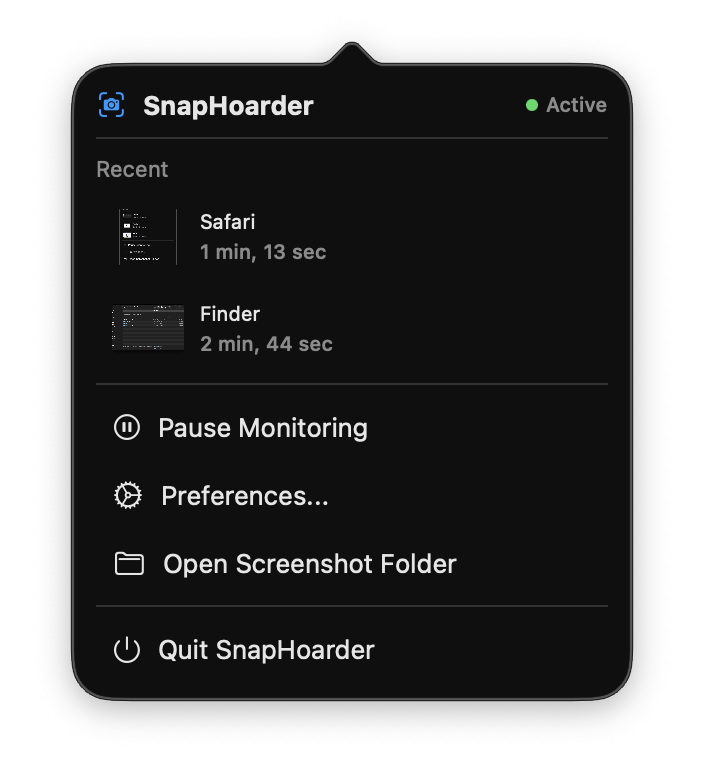
SnapHoarder watches for screenshots in real time and organizes them by date, time, and the app in the foreground—so you never lose track of a capture again. Built for helpdesk and support teams who live in screenshots.
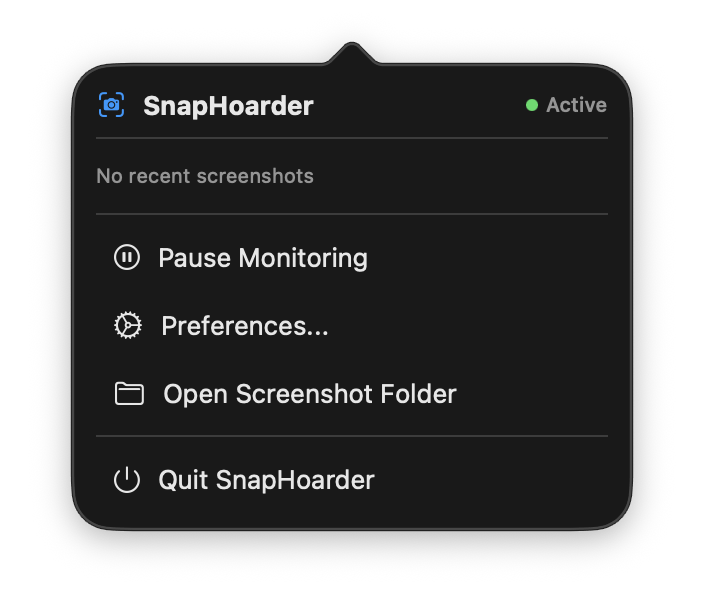
SnapHoarder turns your messy screenshot folder into a searchable, tagged, organized library—without changing how you work.
Automatic Organization
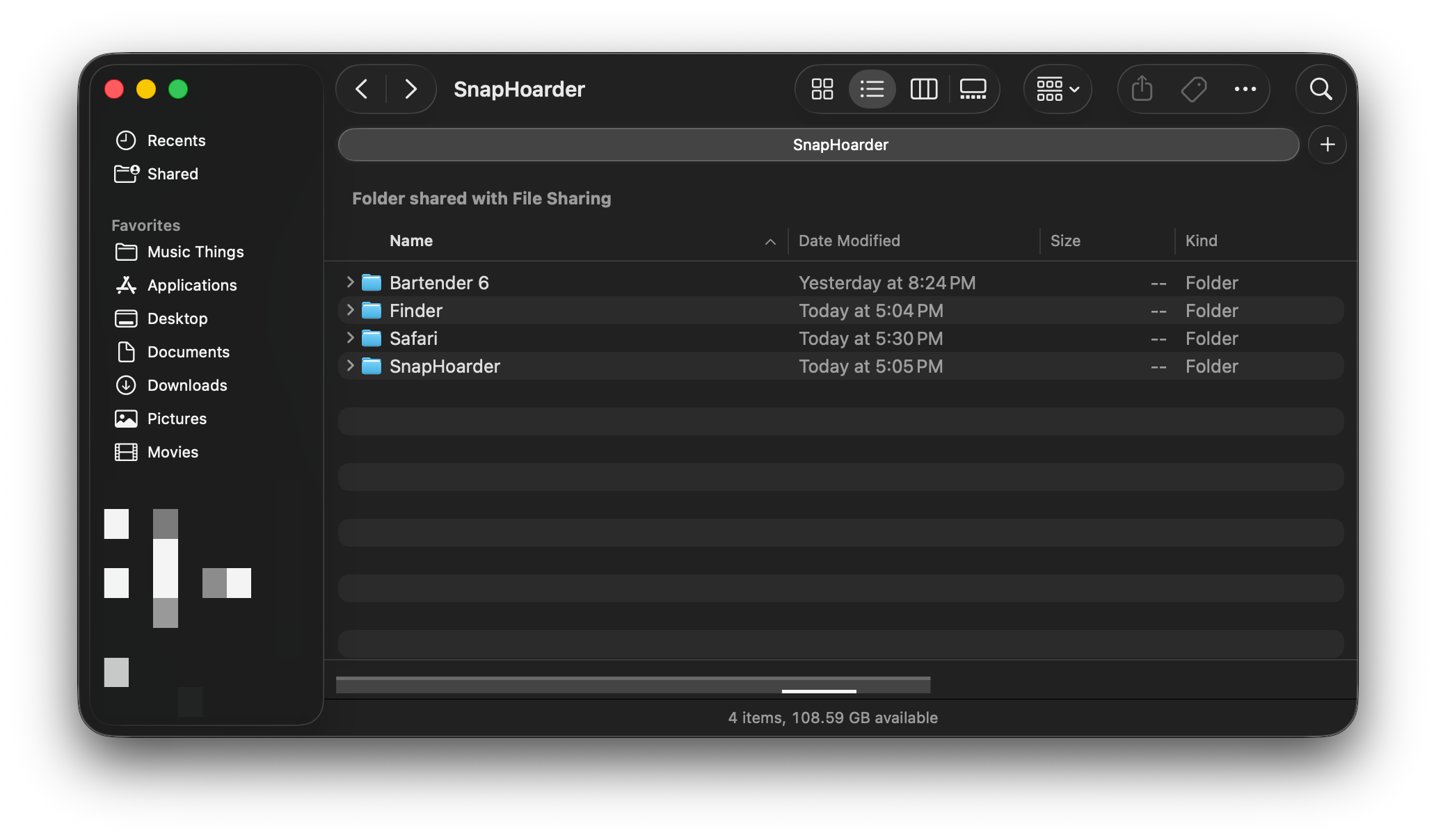
SnapHoarder monitors your screenshot directory and instantly sorts new captures into a clean folder structure—organized by date, time, and the foreground application at the moment of capture.
No manual filing. No renaming. Just take a screenshot and it’s exactly where you’d expect it.
Finder Tags & Custom Labels
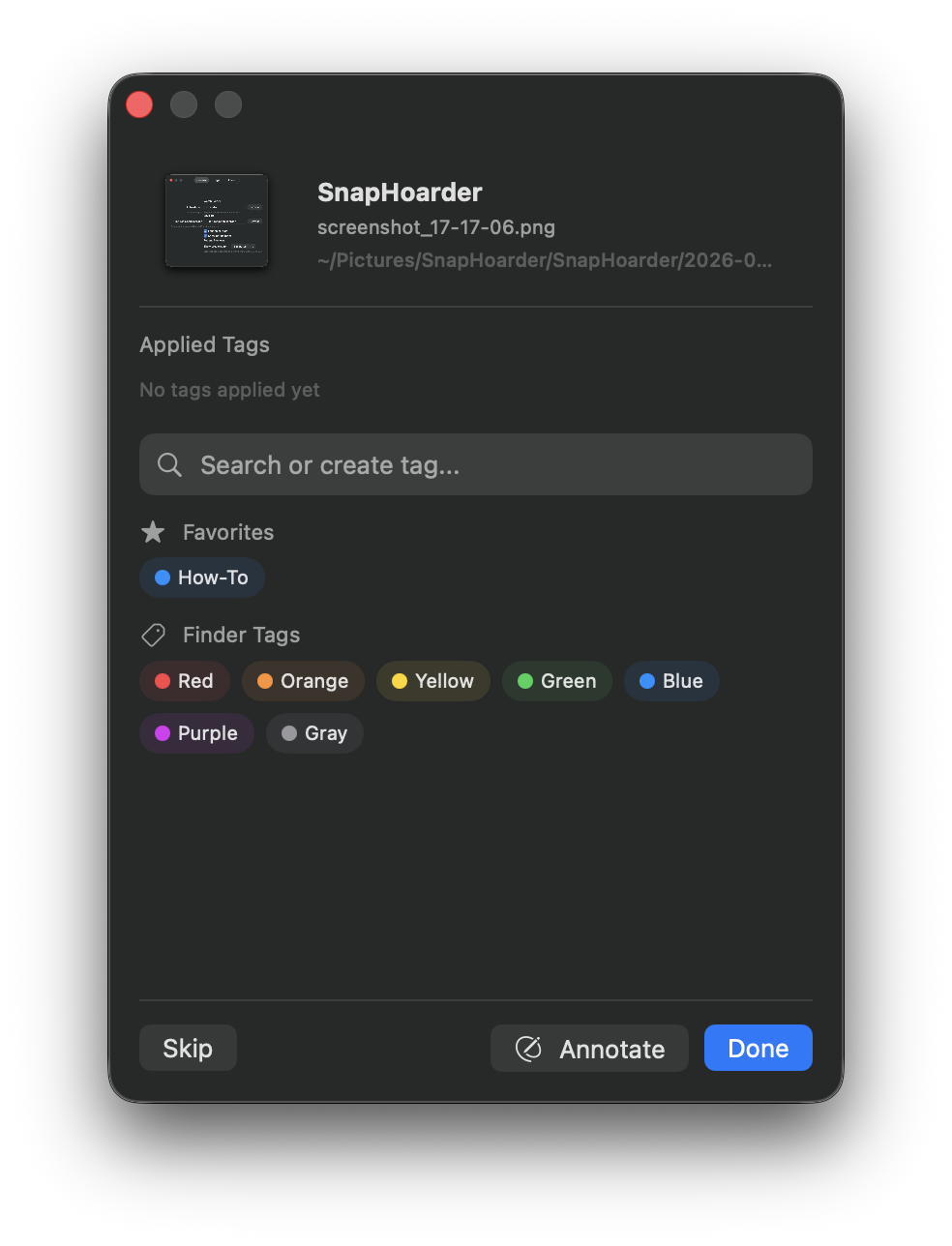
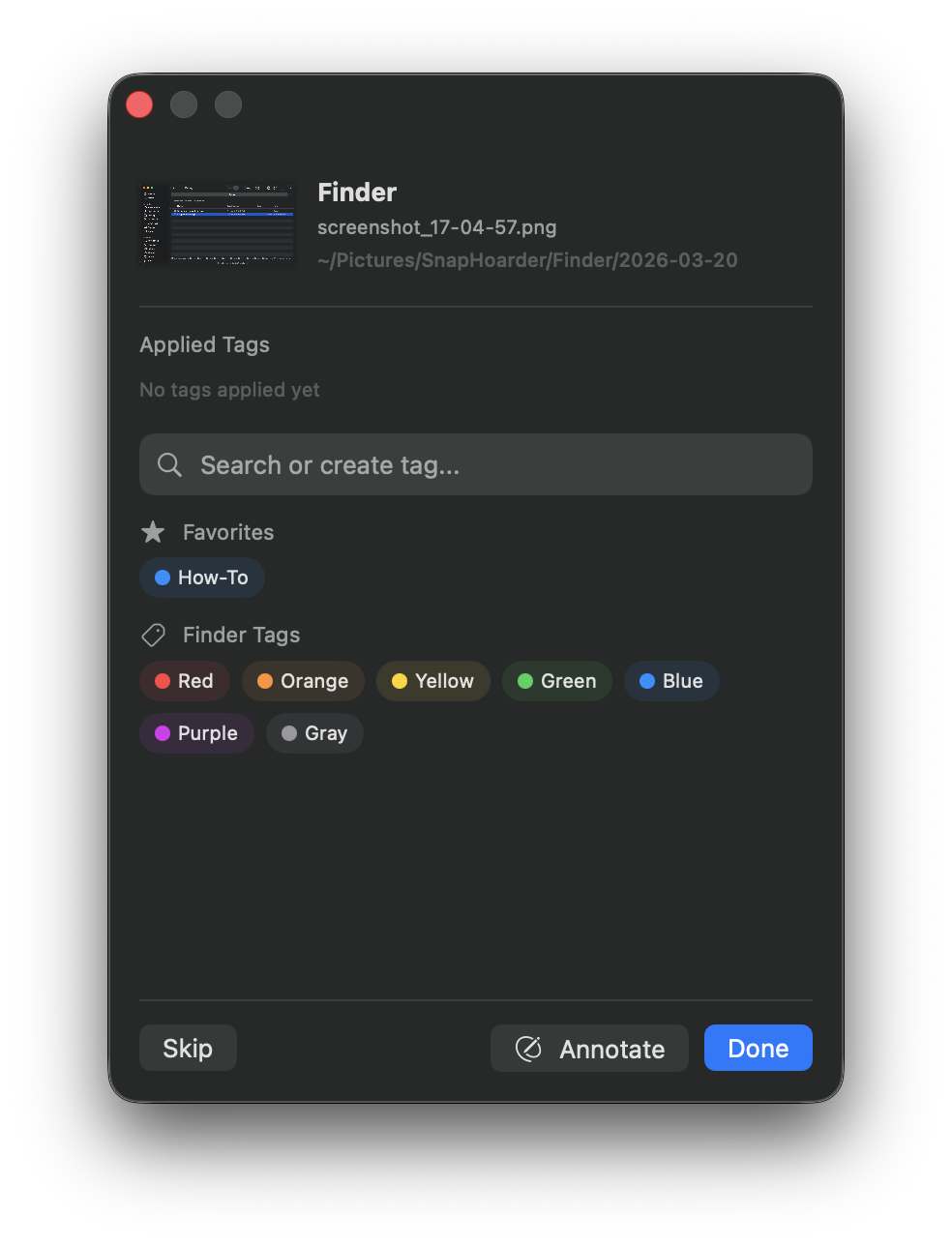
Tag screenshots with native macOS Finder tags—the same color-coded labels you already use—plus create your own custom tags for clients, projects, ticket numbers, or anything else.
Your tags stay attached to the file in Finder, Spotlight, and everywhere else macOS recognizes them. No lock-in.
Built-In Annotation
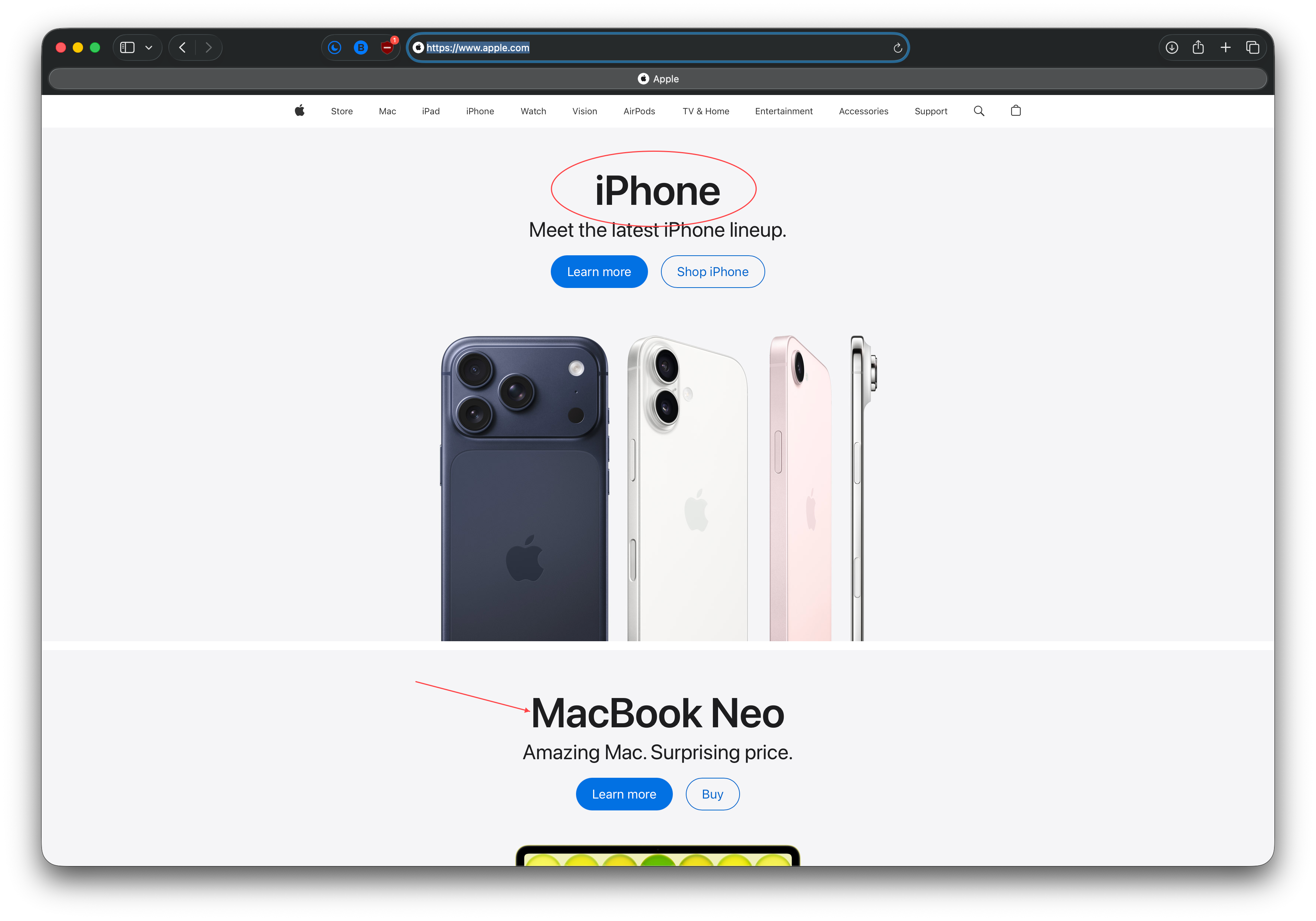
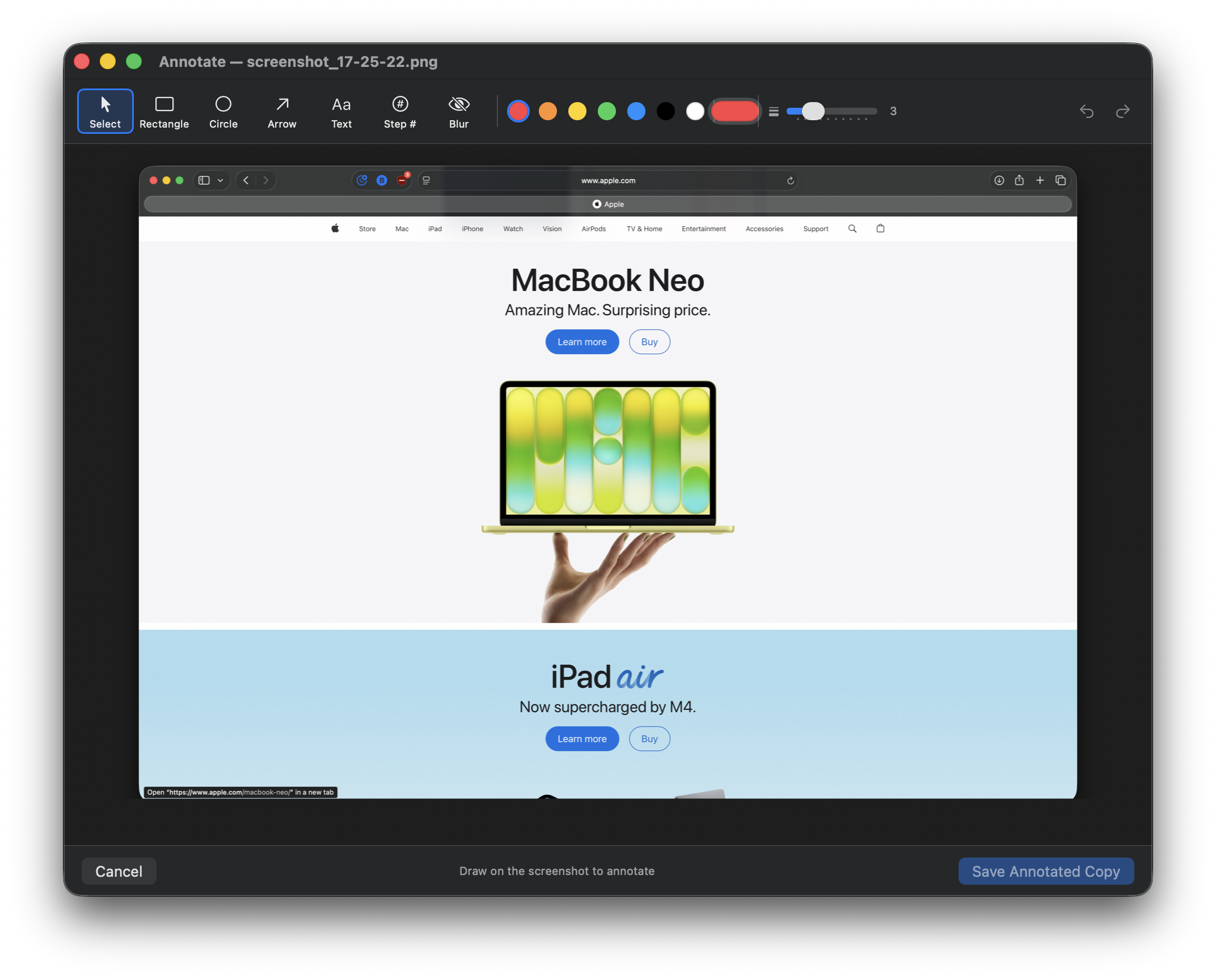
Highlight what matters before you share. Add arrows, boxes, text callouts, and redaction directly inside SnapHoarder—no need to open another tool.
Perfect for annotating client issues, documenting steps, or marking up error messages before attaching them to a ticket.
PURPOSE-BUILT
Made for Helpdesk & Support Teams
Support techs take dozens of screenshots a day. SnapHoarder makes sure none of them get lost, mislabeled, or buried in a cluttered desktop.
Tag by Ticket or Client
Apply custom tags like client names, ticket numbers, or project codes. Find every screenshot from a specific case in seconds.
Know Which App Was Active
Every screenshot is stamped with the foreground app at capture time. Instantly tell if it came from a browser, terminal, remote session, or another tool.
Annotate Before Attaching
Circle the error, draw an arrow to the setting, redact sensitive info—then drop it into your ticket system. No extra apps required.
SEE IT IN ACTION
Screenshots of SnapHoarder
Organized Chaos Browse screenshots sorted by date and source app
Tagging Interface Finder tags and custom labels, all in one panel
Annotation Tools Highlight, arrow, redact — right inside the app
GETTING STARTED
Up and running in 60 seconds
01
Install & Launch
Download from the App Store or grab the .zip. Open SnapHoarder and grant screenshot directory access.
02
Take Screenshots
Use your normal macOS shortcuts. SnapHoarder detects new captures instantly and sorts them automatically.
03
Tag, Annotate & Share
Add tags, annotate with arrows and highlights, then drag into your ticket system or share directly.
Stop losing screenshots in the chaos.
Download SnapHoarder and let your screenshots organize themselves.